
Using Microsoft Word without spending a dime requires knowledge of the options actually available, their technical limits, and what differentiates them from a paid subscription. Several paths coexist, from the permanent web version to programs reserved for students, including mobile applications. The functional scope varies significantly from one option to another.
Free Word: Comparative Table of Available Options
| Option | Access | Included Cloud Storage | Limited Functions | Duration |
|---|---|---|---|---|
| Microsoft 365 web (Word online) | Browser, free Microsoft account | 5 GB OneDrive | Yes (macros, advanced styles, offline mode absent) | Permanent, no credit card required |
| Mobile Word App (Android/iOS) | Smartphone or tablet | 5 GB OneDrive | Yes (simplified layout, no add-ins) | Permanent |
| Microsoft 365 Education A1 (students) | Validated education email address | Variable by institution (often reduced to about 100 GB from 2025-2026) | No for the web version, yes if the institution does not provide the desktop license | Linked to enrollment |
| Microsoft 365 Developer Program | Microsoft developer registration | Complete environment | No (full suite with desktop Word) | Temporary, renewable under conditions |
This table summarizes the four main paths. Each caters to a different use, and the differences in functionality deserve to be detailed before making a choice.
For those looking to understand how to get Microsoft Word for free, the starting point remains the web version, as it requires neither installation nor financial commitment.
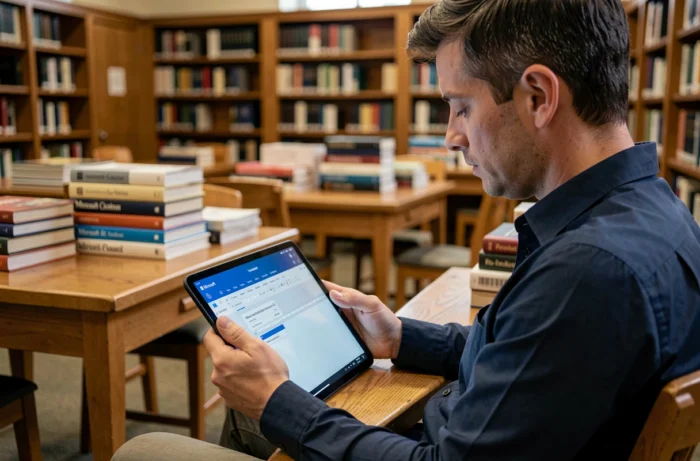
Microsoft 365 web: What the Free Version of Word Really Allows
The online version of Word accessible from microsoft365.com constitutes a permanent free plan, with no disguised trial or credit card required. The only condition is to create a Microsoft account. This information has been verified as of July 2026.
The word processor works directly in the browser. You can create, edit, and share documents in .docx format, collaborate in real-time with other users, and access a library of free templates.
Functions Absent Compared to the Desktop Version
The limitations are not trivial for some user profiles. Here’s what is missing in Word for the web:
- Macros and VBA scripts do not work, which blocks the automation of complex documents or advanced forms.
- Offline mode does not exist: without an internet connection, it is impossible to access or modify files.
- Some layout styles, advanced insertions (custom tables of contents, calculated fields), and fine management of headers and footers are absent or simplified.
- The integration of Copilot, Microsoft’s artificial intelligence assistant, remains reserved for paid Microsoft 365 subscriptions.
For writing a university report, a cover letter, or a standard work document, the web version covers the vast majority of needs. However, a user who handles long documents with dynamic tables of contents or files containing macros will quickly encounter limitations.
Free Word for Students: Access Tightens
The Microsoft 365 Education A1 program offers students and teachers free access to the web applications of the Office suite, provided their institution is a Microsoft partner. Access is via the student’s education email address.
Since 2024-2025, Microsoft has tightened the conditions of this program. The most concrete change concerns OneDrive storage: the default quota has been reduced to about 100 GB in 2026, compared to a much higher standard previously. This quota varies by institution, with some having further lowered it.
Practical Consequences for Students
This reduction in cloud storage limits the archiving of large folders, course videos, or bulky portfolios. Some institutions also restrict the retention period of files after graduation.
Access to desktop Word (the application installed on the computer) depends on the level of license subscribed by the institution. With the A1 license, only the web version is available. Only A3 or A5 licenses include desktop applications, and not all institutions offer them.
Before relying on this program, it is therefore useful to check directly with one’s university or school the level of license granted and any storage restrictions.

Mobile Word App: Free but Tailored for Small Screens
The Word app for Android and iOS is available for free download and allows you to create and edit documents without a subscription. On smartphones, basic features (writing, simple formatting, sharing) are accessible without payment.
On tablets beyond a certain screen size, Microsoft restricts writing access to Microsoft 365 subscribers. Viewing remains free, but editing requires a subscription. This threshold has been in place for several years and remains unchanged.
The mobile app does not replace a desktop word processor for complex documents. It is suitable for quick edits, proofreading, or note-taking on the go.
Microsoft 365 Developer Program: Complete Word, Temporary Access
Microsoft offers a developer program that provides access to a complete Microsoft 365 environment, including the desktop version of Word. This program targets developers who create applications or integrations for the Microsoft platform.
Access is temporary and subject to renewal. Microsoft evaluates account activity to decide on extension. An inactive account may not be renewed. This option is not a sustainable solution for daily office use.
It remains relevant for testing advanced Word features or developing Office add-ins, but not for replacing a traditional subscription in the long term.
The choice between these different options depends on the type of documents to be produced and the frequency of use. The free web version remains the most stable and accessible path for the majority of users who do not need macros or offline work. For students, checking the license level of their institution avoids unpleasant surprises during the year.